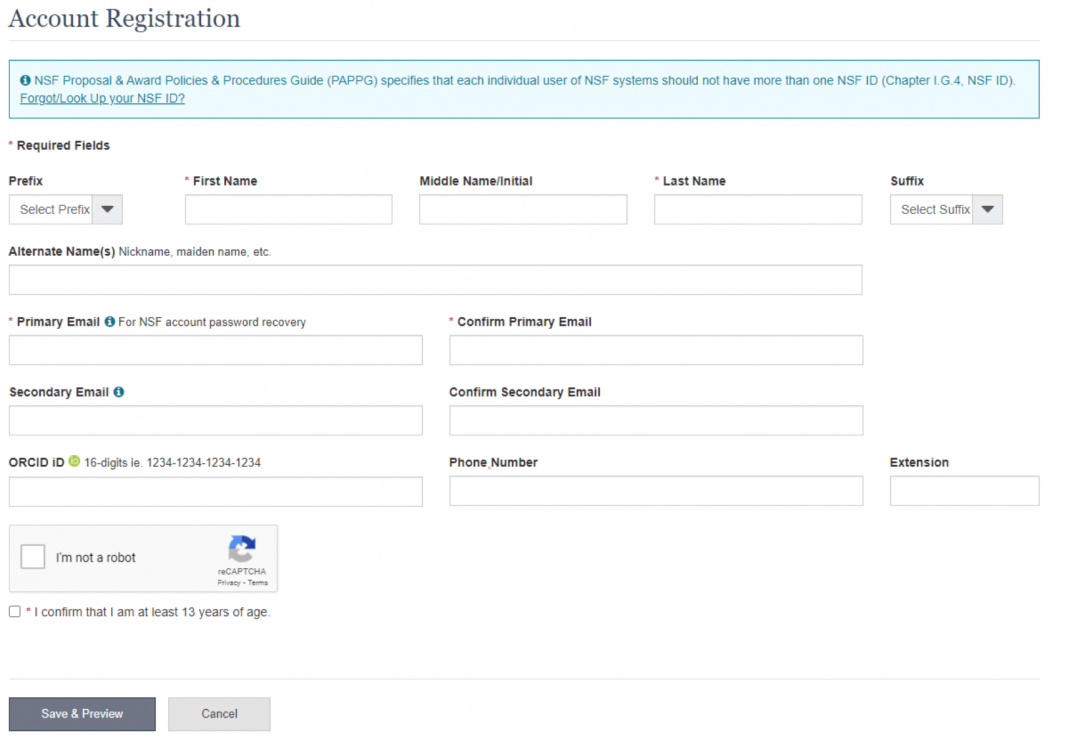
Demo Site
Once logged in, you can access the Demo Site by clicking the link circled in red below.
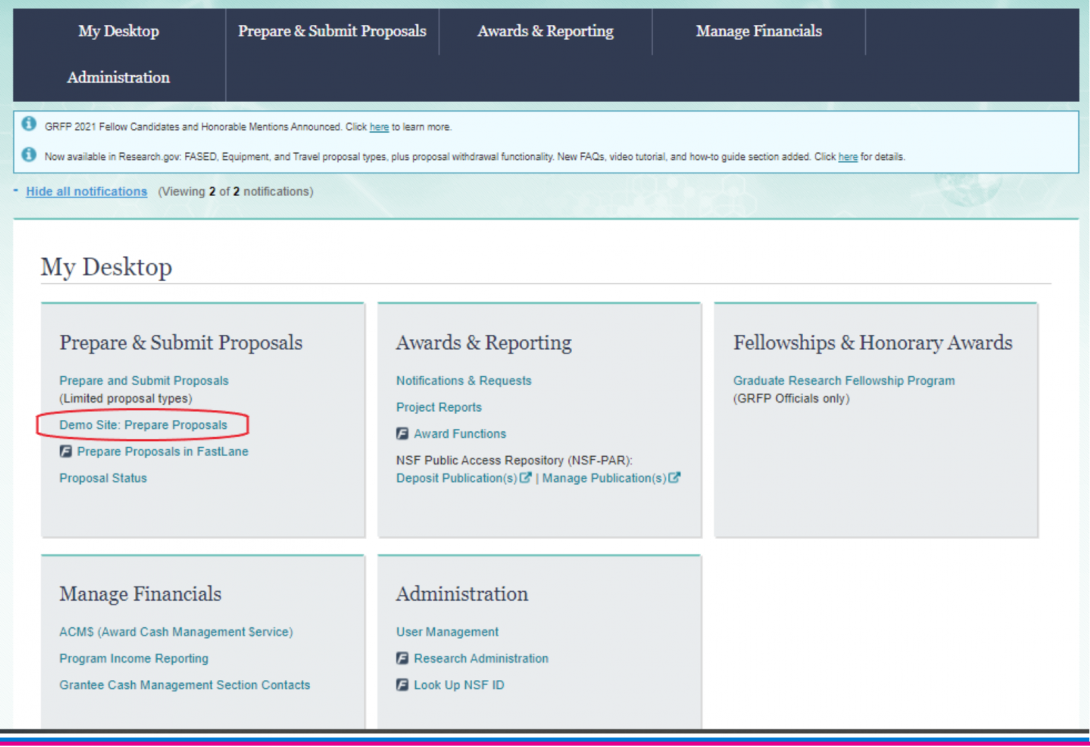
The demo site looks identical to the “live” version of Research.gov, but please note that any information entered here will not be transmitted and cannot be transferred to the actual research.gov site. The demo will allow you to save progress and return to your test-proposal, just log back in and go to the demo site to continue your practice.
To begin, click on “Prepare Proposal” and the system will take you through 5 steps to set up your practice proposal.
The sections are as follows:
1. Funding Opportunity – enter the opportunity number for ITEST (NSF 22-585)
2. Where to Apply – This screen confirms that you are applying to the correct NSF unit, your results should state:
- Funding Opportunity: NSF 22-585 - Innovative Technology Experiences for Students and Teachers
- Directorate: Direct For Education and Human Resources (EHR)
- Division: Division Of Research On Learning (DRL)
- Program: ITEST-Inov Tech Exp Stu & Teac
3. Proposal Type – Here you will likely select “Research,” unless you are submitting as part of the EAGER or RAPID proposal types.
4. Submission Type – Select “Full Proposal”
5. Proposal Details – This section asks you to confirm whether you are submitting a single proposal – or – if your proposal is part of a collaborative proposal in which each organization is submitting for separate awards. See the resources page for additional information on this distinction. For our practice purposes, you can select single proposal, enter your demo-proposal title and click “Prepare Proposal” to begin!
Preparing your practice proposal
From within the proposal page you can visit the funding opportunity page, view the due date, and navigate the proposal sections to examine what entry looks like for each.
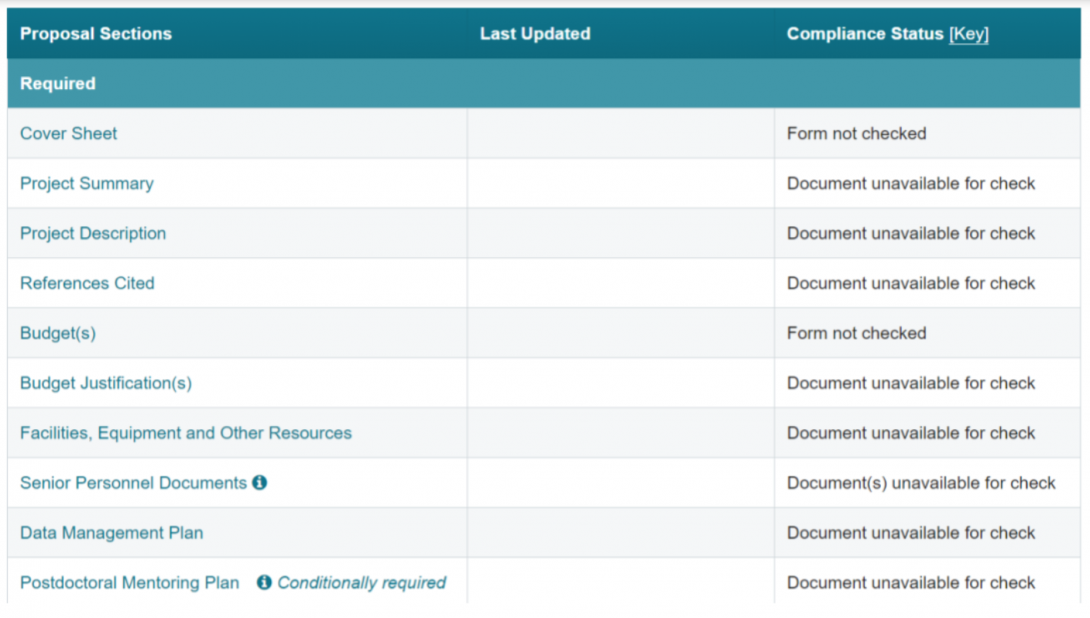
Each of the proposal sections is a clickable link, and within each link is either a fillable form to complete, or a space to upload your file. As you scroll through the required sections, note that the system will track when each section was last updated, and will provide the “Compliance Status” for each. The statuses are:
- Form not checked: Initial status before any validation occurs on a data entry form
- Document unavailable for check: A document has not been uploaded into the section
- Error(s) will prevent submission: These errors can be forwarded to the SPO/AOR but will stop the submission of the proposal if not fixed
- Warning(s): Items that should be manually checked before submission
- No issues found: All compliance checks have been successfully met
A note about the Optional section:
Other Personnel Biographical Information is meant only for any non-senior personnel (e.g., postdoctoral researchers, other professionals, undergraduate students/research assistants) whose inclusion provides “information on exceptional qualifications that merit consideration in the evaluation of the proposal.”
Other Supplementary Documents
In the ITEST solicitation there is a section on supplementary documents that reads:
Special Information/Supplementary Documentation: The only items permitted in the Supplementary information section are (1) letters of collaboration, (2) the data management plan, and (3) the postdoctoral researcher mentoring plan (if applicable).
Within Research.gov the data management plan and the postdoctoral mentoring plan now have their own sections for uploading. Therefore, the only items permitted in this section would be any letters of collaboration collected. Be sure to follow the PAPPG instructions and adhere to the specific format.
All other documents in this section of Research.gov (i.e., those marked as Single Copy Documents) are for NSF use only and are not seen by proposal reviewers. Single copy documents that are listed in the solicitation/PAPPG that are not listed here can be found within the Cover Sheet (e.g., Disclosure of Lobbying Activities, Proprietary or Privileged Information, Natural or Anthropogenic Event, etc.).
Reminder: Appendices may not be included unless a deviation has been authorized.
The research.gov demo site will save your progress and allow you to log back into your demo proposal. Since none of the information is transmitted, it is a great way to experience the system and connect the sections of your proposal to where (and how!) they are uploaded.